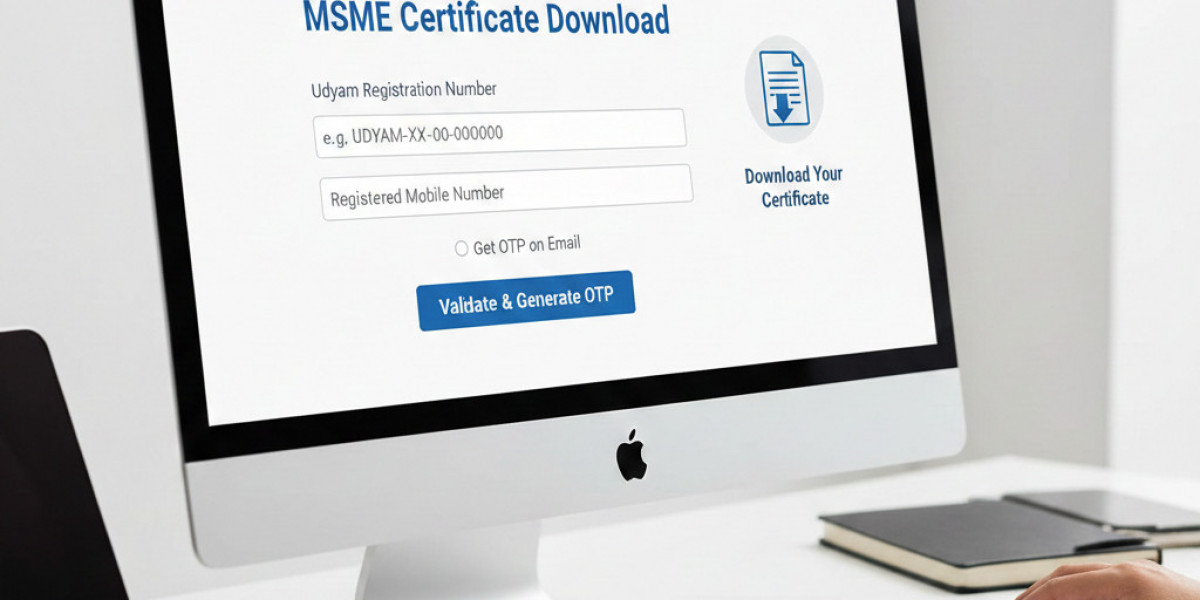

In 2026 Udyam Registration (formally known as Udyog Aadhaar) has become the most important document for all MSME Business owners. Whether you are looking to apply for a Collateral-free MSME loan, government tender, subsidies in electricity bill or tax deduction you have to submit your udyam registration certificate
The process to download Udyam certificates is fully digital. If you have already registered your business but you don’t have a physical certificate don’t worry you can download your MSME certificate in just a few minutes.
In this blog I will walk through the step by step process of how to download an MSME Certificate and why an MSME registration certificate is a must have document for every business owner.
What is the MSME/Udyam Registration Certificate?
The MSME/Udyam Registration Certificate is a government issued document that provides a 12-digit Udyam Registration Number (URN) to MSMEs. This certificate is a permanent proof of business and its classification as a Micro, Small, or Medium enterprise based on investment and turnover.
Process to Download MSME/Udyam Certificate
To download MSME Certificate you required following details:-
Udyam Registration Number (URN): The 12-digit Udyam Registration Number
Registered Mobile Number: The mobile number you used while registration
Step-by-Step: How to Download MSME Certificate Online
Step 1: Visit the Portal
Many MSME business owners find it difficult to navigate in the Official Udyam Website and some people also face OTP Error issues regarding that so I will suggest to Visit Udyog register portal and navigate to MSME Certificate Download page.
Step 2: Enter Your Credentials
On the login screen, you will see fields requesting you:
12-digit Udyam Registration Number (URN).
Registered Mobile Number.
Step 3: OTP Verification
For security purposes, the system will send a One-Time Password (OTP) to your registered mobile number and email Address. Select where you want to receive the OTP and click on Generate OTP.
Step 4: Validate and View
Enter the OTP received on your phone. Once validated, your Udyam Certificate will appear on the screen.
Step 5: Print or Save as PDF
You will see two options:
Print Certificate: To get the basic certificate.
Print with Annexure: Udyam Annexure Certificate has more detailed information about the business activities. So if you are printing your Certificate for bank loan or tender purpose we will suggest you to print udyam certificate with annexure.
Why Should You Keep Your Certificate Handy?
Downloading and printing your MSME certificate is not just for records. It unlocks several Government Benefits like :-
Collateral-Free Loans: Under the CGTMSE scheme Banks provide Collateral Free Loans to MSME registered businesses.
Lower Interest Rates: Most banks offer lower interest rates for registered MSMEs.
Subsidy on Patent & Trademark: Government Offers 50% discount for filling patent and trademarks.
Protection Against Delayed Payments: Under the MSME Samadhaan portal, buyers are legally required to pay their due amount within 45 days.
Electricity & Tax Concessions: Many states offer exemptions on electricity bills and tax deduction to MSME registered Business.
Conclusion
Your MSME/Udyam Registration Certificate is more than just a piece of paper—it is your business's identity card. It will take five minutes to download, print, and file it safely so you never miss out on the benefits your business deserves.