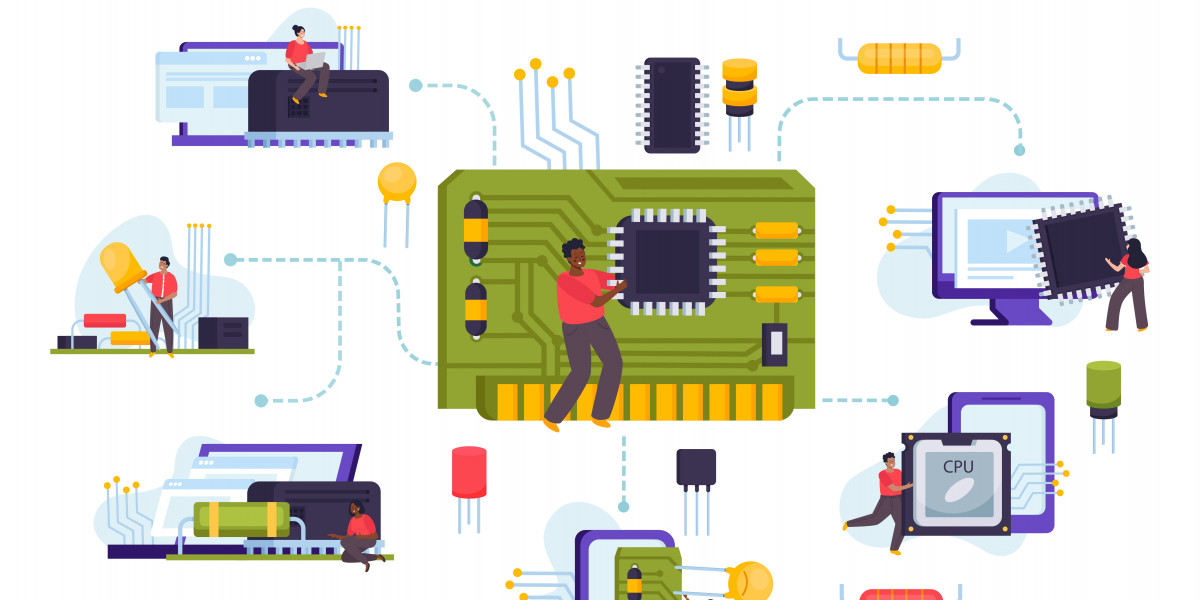

In today’s digital world, almost every device we use—smartphones, laptops, cars, medical equipment, or even home appliances—relies on both firmware and software to function correctly. Although these terms are often used interchangeably, they serve different purposes and operate at different levels within a system. Understanding the difference between firmware and software is essential for developers, product managers, businesses, and even non-technical users who want a clearer picture of how modern technology works.
This guide explains firmware vs software in simple terms, how they work, where they are used, and why the distinction matters.
What Is Firmware?
Firmware is a specialized type of software that is tightly integrated with hardware. It provides low-level control for a device’s specific components and ensures that the hardware functions as intended. Firmware is usually written to non-volatile memory such as ROM, EEPROM, or flash memory, meaning it remains intact even when the device is powered off.
Unlike regular software, firmware is not designed to be frequently modified by end users. It operates behind the scenes, acting as the bridge between hardware and higher-level software.
Examples of Firmware
BIOS or UEFI firmware in computers
Firmware in routers and modems
Embedded firmware in washing machines, microwaves, and smart TVs
Firmware controlling sensors in medical devices
Microcontroller firmware in IoT devices
In simple terms, firmware tells the hardware how to behave.
What Is Software?
Software refers to programs and applications designed to perform specific tasks for users. It runs on top of an operating system or firmware and can usually be installed, updated, or removed easily.
Software is more flexible than firmware and is designed to evolve rapidly based on user needs, market demands, and feature improvements.
Examples of Software
Operating systems like Windows, macOS, Linux, Android, and iOS
Mobile and web applications
Productivity tools such as word processors and spreadsheets
Enterprise software like CRM and ERP systems
Games, streaming apps, and design tools
In short, software focuses on what users can do with a device.
How Firmware Works
Firmware starts working the moment a device is powered on. It initializes the hardware, performs self-checks, and prepares the system to load the operating system or application software. Without firmware, most devices would not even boot or respond to input.
For example, when you turn on a laptop, the firmware checks memory, processor, and peripherals before handing control over to the operating system. Similarly, in embedded systems, firmware continuously controls sensors, motors, or displays based on predefined logic.
Types of Software
Software can be broadly classified into several categories:
1. System Software
System software manages hardware resources and provides a platform for other applications to run. Examples include operating systems, device drivers, and system utilities.
2. Application Software
Application software is designed for end users to perform specific tasks, such as communication, design, finance, or entertainment.
3. Programming Software
This includes tools used by developers to create other software, such as compilers, interpreters, IDEs, and debuggers.
Firmware vs Software: Key Differences

These differences highlight why firmware is considered more stable and software more adaptable.
Embedded Software vs Firmware
The line between embedded software and firmware can sometimes blur. Embedded software often runs on hardware with limited resources and may control specific device functions. However, firmware is typically the foundational layer that enables the embedded software to operate.
In many systems, firmware initializes the device, while embedded software handles logic, communication, and user interactions. Together, they ensure smooth and reliable device performance.
Real-World Use Cases
Consumer Electronics
Smartphones, smart TVs, and wearables rely on firmware for hardware control and software for apps, interfaces, and features.
Industrial Systems
Manufacturing equipment uses firmware to manage sensors and motors, while software handles monitoring, analytics, and reporting.
Automotive Industry
Modern vehicles depend on firmware for engine control units (ECUs) and safety systems, while software powers infotainment, navigation, and driver-assistance features.
Healthcare Devices
Medical devices use firmware for precision control and compliance, while software supports data visualization and system management.
Firmware Updates
Although firmware is not updated as often as software, updates are sometimes necessary to fix bugs, improve stability, or address security vulnerabilities. Firmware updates must be handled carefully, as errors during updates can render a device unusable.
Manufacturers typically release firmware updates with detailed instructions to minimize risk and ensure compatibility.
Security Implications
Firmware security is critical because vulnerabilities at this level can compromise the entire system. Malicious firmware attacks are difficult to detect and can bypass traditional software-level security controls.
Best practices for firmware security include:
Secure boot mechanisms
Regular security audits
Digitally signed firmware updates
Access control and authentication
Software security, while also important, is generally easier to patch and monitor compared to firmware-level threats.
Common Problems and Troubleshooting
Issues related to firmware often manifest as hardware malfunctions, boot failures, or unresponsive devices. Software issues, on the other hand, usually result in crashes, performance slowdowns, or feature-related bugs.
Understanding whether a problem originates from firmware or software helps in applying the correct fix and avoiding unnecessary downtime.
When Is It Better to Delay Updates?
Not all updates should be installed immediately. Firmware updates, in particular, should be evaluated carefully, especially in critical systems. Testing updates in controlled environments before deployment helps reduce risk.
Software updates are generally safer to apply frequently, as they often include feature improvements and security patches.
Conclusion:
Firmware and software play distinct yet complementary roles in modern technology. Firmware ensures that hardware works reliably at a foundational level, while software enables functionality, flexibility, and user interaction.
By understanding the differences between firmware and software, businesses and developers can make better decisions about system design, maintenance, security, and updates. Whether you are building embedded systems or managing large-scale digital products, clarity on this topic is essential for long-term success.