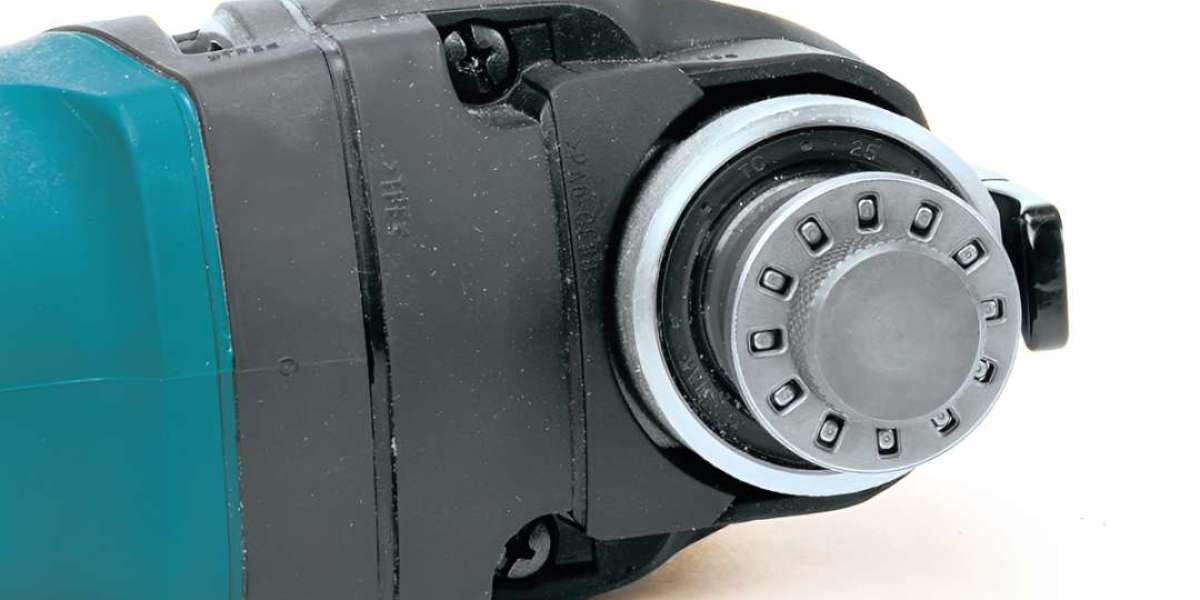

Makita Multi-Tool Adapter: What Makes It So Useful?
A Makita Multi-Tool Adapter is a compact accessory that lets your oscillating multi-tool accept a wider range of blades and attachments. As a result, you can handle more jobs with one tool, reduce downtime, and keep your kit lighter.
In this guide, you will see what an adapter does, how to choose the right one, and how to use it safely for clean, controlled results.
What a Multi-Tool Adapter Does
Oscillating tools depend on a precise interface between the tool mount and the accessory. An adapter acts as the link when a blade uses a different mounting pattern. Therefore, the accessory seats properly, the clamp holds firmly, and the oscillation transfers efficiently.
Practical benefits include:
Better control for plunge cuts, trimming, sanding, and scraping
Less accessory wobble, so cuts stay tighter and cleaner
Fewer changes between specialised tools, which saves time
Compatibility: What to Check First
Before buying, match the adapter to both your tool and the accessories you plan to use. Compatibility is about mount shape, hole pattern, and clamping method.
Tool mount and clamp style
Confirm:
The adapter is made for your Makita mount family or your specific model range
The clamp can fully lock with the adapter fitted
The adapter sits flush and does not rock
Accessories and job types
Think about what you cut most often:
Bi-metal blades for nails and mixed materials
Carbide grit accessories for grout and abrasive work
Sanding pads for finishing and edge clean-up
Scrapers for sealants and adhesives
How to Choose the Right Makita Multi-Tool Adapter
Price matters, but fit and strength matter more. A small part can affect stability, heat, and vibration.
Build quality
Look for hardened metal contact points and clean machining. A solid adapter resists rounding and flexing, and it keeps the accessory aligned.
Fit, alignment, and vibration
When alignment is off, the tool feels jumpy and the cut can drift. Over time, misalignment increases wear. Choose an adapter that centres the blade reliably and keeps it flat against the mount.
Heat and demanding cuts
Long metal cuts can generate thermal build-up at the interface. For better results:
Use steady pressure instead of forcing the blade
Let the tool oscillate freely, then advance slowly
Pause briefly if the mount feels hot
Installation and Safe Use
Even a high quality adapter will underperform if installed poorly. Use a simple routine so each accessory locks the same way, every time.
Quick setup checklist
Remove the battery or unplug before fitting parts
Clean dust from the mount so the adapter can sit flush
Seat the adapter fully, then fit the blade or pad
Tighten using the correct clamp method
Tug the accessory gently to confirm it is locked
Work positioning and safety habits
Keep hands behind the cutting plane and stabilise the workpiece. Also, route cables away from the cutting area. If you work around sealants or oils, keep handles clean so grips stay secure.
When cutting near electronics, cover nearby sensors and connectors to protect them from dust. Fine debris can settle into switches, contactors, and small controllers.
Performance Tips for Cleaner Results
An adapter adds compatibility, but technique drives finish quality. Use these habits to reduce vibration and keep cuts accurate.
Reduce vibration and wear
Retighten after the first few seconds of use
Replace bent or damaged blades immediately
Avoid side loading the blade in tight corners
Match accessories to materials
Keep a small set of dedicated accessories:
Wood blades for clean openings
Metal blades for fasteners
Scrapers for adhesive removal
Sanding sheets for final edges
Also, organise small parts in a case. On busy sites, this prevents lost clamps and speeds up tool changes.
Dust control near modern equipment
Many work areas now include electronics such as indicator LEDs and control panels. Use vacuum extraction where possible, and avoid placing parts on open panels. If you work near thermal pads or delicate boards, keep metal filings away from exposed connectors, fuses, and microprocessors, as well as any capacitor modules. A quick cover cloth can protect laptops and test gear in the same area.
Care and Storage
Cleaning and inspection
Wipe away residue after use, especially if you cut paint or adhesives. Inspect for rounded edges, thread damage, and uneven wear.
Corrosion and lubrication
Most adapters do not need heavy lubrication. If storage is damp, a light protective wipe helps. Avoid excess oils that attract dust, and keep the adapter separate from abrasive grit.
When an Adapter Is the Right Choice
A Makita Multi-Tool Adapter is a smart upgrade when you want broader accessory options without changing your main tool. It is also useful when a team shares blades across different kits.
However, skip the adapter if the accessory cannot sit flat, the clamp will not lock fully, or you see repeated slippage. In that case, use accessories designed for your native mount for maximum stability.
Final Thoughts
A Makita Multi-Tool Adapter can turn one oscillating multi-tool into a more versatile, job-ready solution. Choose a well-made adapter, confirm compatibility, and install it carefully. Then, apply steady technique, sensible safety, and simple maintenance for cleaner cuts.